Web-Based Screen Solutions: Keep Your Display Active Without Downloads
Learn how browser-based tools use the Wake Lock API to prevent screen timeout with no installation required.
If your screen keeps dimming during a presentation, cooking recipe, online class, workout, or real-time dashboard review, a web-based solution is usually the fastest and cleanest fix.
Instead of installing bulky desktop software, adjusting administrative group policies, or downloading unverified utility apps, you can use a lightweight browser tool that requests a screen wake lock directly from your operating system, keeping the display fully illuminated for as long as you need.
What is a web-based screen timeout solution?
A web-based screen timeout tool is a dedicated webpage that runs entirely inside your web browser and interfaces with the operating system to prevent the display from entering sleep or idle mode.
Modern browser tools leverage the official W3C Screen Wake Lock API. When activated, the browser requests a system-level Sentinel that tells the OS kernel to postpone auto-lock timers. For legacy browsers that do not yet implement Wake Lock, reputable web tools provide seamless fallback techniques (such as invisible video looping) to maintain wakefulness without requiring user intervention.
Why people prefer browser tools
Compared to traditional desktop utilities, native apps, or manually modifying system preferences, browser-based tools provide distinct advantages:
Common use cases
Web-based screen keepers are ideal for everyday situations where touching the device is inconvenient or disruptive:
How to use a browser-based keep-awake tool
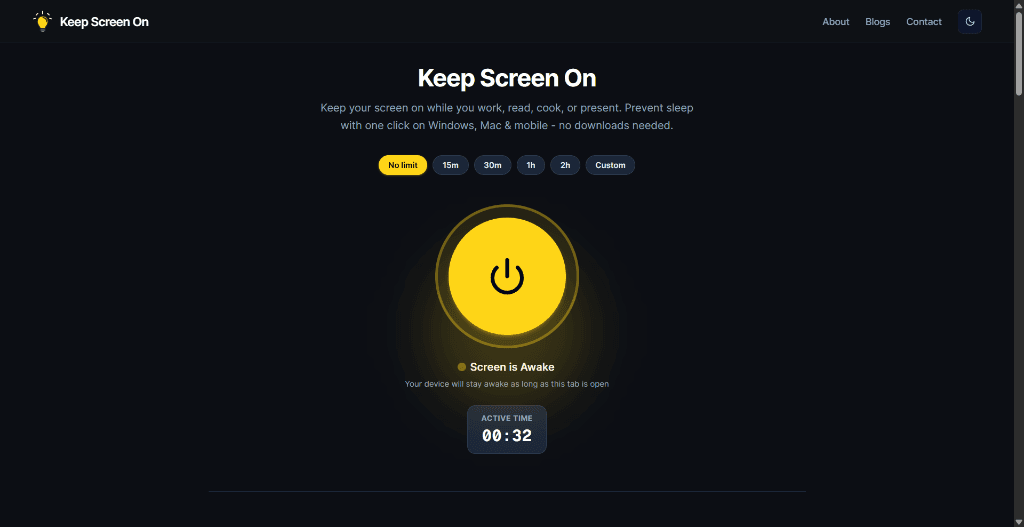
Keeping your display awake takes just a few seconds:
Limitations to know
While browser-based wake locks are remarkably convenient, keep these platform constraints in mind:
Best practices for reliability
To ensure an uninterrupted awake session:
Final take
Web-based screen wake tools offer the simplest, most versatile solution for keeping modern displays illuminated. They deliver instant, zero-footprint control for temporary tasks without altering your global operating system settings.
FAQ
Does a web-based screen tool work without installation?
Yes. You can open Keep Screen On in any modern browser and activate it immediately—no software downloads, plugins, or extensions are needed.
Why does the wake lock pause when I switch tabs?
Web browsers are designed to revoke wake lock Sentinels whenever a tab is minimized or hidden in the background to prevent background battery drain. Keeping the tab in the active window maintains continuous wakefulness.
Is a browser wake lock better than changing OS display settings?
For temporary tasks like presentations, cooking, or reading, yes. Changing OS display settings often leads to forgetting to turn them back on, leaving your computer running all night. A browser wake lock is temporary, effortless, and automatically releases when closed.
Prevent your screen from dimming right now
Click once to activate browser-based screen wake lock. Free, instant, and works across all devices.